
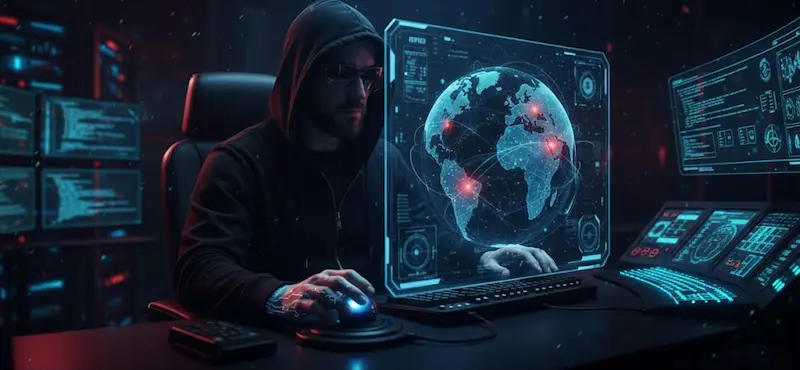
Your Password and Security Checklist
After years of working in IT, I’ve seen technology change dramatically, but one thing remains constant: the persistent efforts of scammers and cybercriminals. Our first and last line of defense against them is strong account security.
This isn’t just about complicated rules; it’s about making your digital life easier for you and nearly impossible for attackers.
The New Rule of Thumb: Long and Easy to Remember
The old rule of short, complex passwords is outdated. Modern brute-force cracking tools, which use computing power to automatically guess millions of combinations per second, can break a short, 8-character password quickly (sometimes in minutes or even seconds).1
The single most effective defense is length.2 A long password dramatically increases the time it would take an attacker to crack it—from seconds to centuries.3
Here are three methods to create long, strong, and memorable passwords:
1. The Substitution Method (Leetspeak)
Take a memorable word or phrase and substitute letters with similar-looking numbers and special characters.
- Example: If your phrase is “Secure Login Portal,” you might use: 53cur3L0g!n p0rt@l (Length: 16 characters)
2. The Passphrase Method (Recommended)
The passphrase method is highly effective because it maximizes length while remaining easy to type and recall. For instance, use three or four common, capitalized, but unrelated words, joined by a special character and including a number.
- Example: River Detail Power!2 (Length: 20 characters)
3. The Password Vault Method
This is the gold standard for security and convenience. I personally use and highly recommend a password manager like LastPass.
The Benefits of a Password Vault:
- Uniqueness Guaranteed: It generates and stores a unique, complex password for every single site, eliminating the risk of a single breach compromising all your accounts.
- Zero Memorization: You only have to remember one strong master password (using Method 2!), which unlocks the vault.
- Auto-Fill Security: It safely and automatically fills in credentials, preventing typos and protecting you against certain phishing attacks that try to trick you into typing your password.
Never Use the Same Password Twice
If you use the same password on your LinkedIn account, your bank account, and your email, a breach on the least secure site instantly gives criminals access to your most sensitive accounts. Unique passwords are non-negotiable for every service.4
What to Avoid
- Personal Information: Never include birthdays, pet names, street addresses, or names of family members.5 Scammers gather this information easily from social media to conduct “guessing” attacks.6
- Dictionary Words: Avoid using single words found in a dictionary, as brute-force tools use massive dictionaries to try common words first.7
The Ultimate Security Layer: Multi-Factor Authentication (MFA)
Even the world’s best password can be compromised by a sophisticated phishing attack. This issue can be addressed by Multi-Factor Authentication (also known as Two-Factor Authentication or 2FA) steps in.8
MFA is: A security process that requires two or more verification factors to gain access to an account.9 These factors typically fall into three categories:
- Something you know (Your password)
- Something you have (A mobile phone/authenticator app, or hardware key)
- Something you are (A biometric like a fingerprint or face scan)
The Benefits of MFA:
- 99% Breach Prevention: Security studies consistently show that enabling MFA prevents the vast majority of automated account takeover attacks.10
- Nullifies Stolen Passwords: If a hacker steals your password, they are still blocked because they don’t have the second factor—the one-time code generated on your personal device.11
The Next Frontier: Passkeys (The Passwordless Future)
However, while strong passwords and MFA provide excellent defense, they still rely on a “shared secret” (the password) that can be exposed. Passkeys are designed to eliminate the password entirely.
What Are Passkeys?
A passkey is a digital credential that allows you to sign in to apps and websites using the same method you use to unlock your device: your fingerprint, face scan, or device PIN. They are an industry standard created by the FIDO (Fast IDentity Online) Alliance.
How Do They Work?
Passkeys leverage public-key cryptography, a complex technology that works simply for the user:
- Key Pair: When you create a passkey, your device generates a unique pair of cryptographic keys. The Public Key is sent to and stored by the website’s server. The Private Key never leaves your device and is stored securely within your device’s security chip (like Apple’s Secure Enclave or a TPM).
- Authentication: To log in, the website sends a unique “challenge” to your device. Your device uses the private key to sign this challenge, and the website verifies the signature using the public key.
- User Verification: You approve this process using your biometric data (face/fingerprint) or PIN, proving that you are physically in possession of the device holding the private key.
Why Use Passkeys? (They are Extremely Safe)
Passkeys are far safer than traditional passwords and even many forms of MFA because they are:
- Phishing-Resistant: Because the private key is permanently bound to the original website’s domain, a malicious, look-alike phishing site cannot trick your device into providing the login credentials. The key simply won’t work on the wrong website.
- Unique and Unbreakable: They are cryptographically generated and cannot be guessed or brute-forced like a password.
- Immune to Server Breach: If a company’s server is hacked, the only thing stolen is your Public Key, which is useless to a hacker without the corresponding Private Key stored securely on your personal device (13).
You should use passkeys whenever they are available, as they offer the highest level of protection against the most common modern threats while making the login process nearly instantaneous.
The security benefits of this new technology are why Google, Apple, and Microsoft are all working together to promote the adoption of passkeys.
Phishing and Scams: The Red Flags
The human element remains the weakest link.12 Always be wary of urgent, unusual requests.
- Never Click on a Suspicious Link: If an email or text is asking you to click a link to “verify” or “pay,” go to the service’s website directly by typing the address yourself or using a trusted bookmark.
- Check the Spelling on Links: Hover your mouse over any link (without clicking!) to see the true destination URL in the corner of your browser. Phishing sites often use near-identical, but slightly misspelled, domain names (e.g.,
micros0ft.cominstead ofmicrosoft.com). - Never Buy Gift Cards or Bitcoin to Pay for Something on the Phone:Because… Legitimate businesses, banks, and government agencies (like the IRS or tax office) never demand immediate payment via non-refundable methods like gift cards, cryptocurrency (Bitcoin), or wire transfers. Scammers use these methods because, once the funds are transferred, they are virtually untraceable and impossible to recover by law enforcement or your bank. It is the ultimate sign of a fraud attempt.
If you receive such a request, hang up immediately, and call the company or agency back using a number you know is official (like the one on your bill or their main website).
Stay safe on the internet.
Got Questions?

Works Cited
1, 2, 3, 7. (Brute Force, Length, Complexity, Dictionary Words)
AlMalki, Lama A., Samah H. Alajmani, Ben Soh, and Raneem Y. Alyami. "Analysing the Impact of Password Length and Complexity on the Effectiveness of Brute Force Attacks." International Journal of Network Security & Its Applications (IJNSA), vol. 17, no. 2, 2025, https://aircconline.com/abstract/ijnsa/v17n2/17225ijnsa03.html

  Keeper Security. "Password Length vs Complexity: Which Is More Important?" Keeper Security Blog, 16 Sept. 2024, https://www.keepersecurity.com/blog/2024/09/16/password-length-vs-complexity-which-is-more-important/

  National Institute of Standards and Technology (NIST). "Digital Identity Guidelines: Authentication and Authenticator Management." NIST Special Publication 800-63B-4, U.S. Department of Commerce, July 2025, https://doi.org/10.6028/NIST.SP.800-63b-4

  Hive Systems. "Are Your Passwords in the Green?" Hive Systems Blog, April 2025, https://www.hivesystems.com/blog/are-your-passwords-in-the-green

  4, 5, 6. (Unique Passwords, Personal Info, Guessing Attacks)
Canadian Centre for Cyber Security. "Best Practices for Passphrases and Passwords (ITSAP.30.032)." cyber.gc.ca, 19 Feb. 2024 (content current as of 2025), https://www.cyber.gc.ca/en/guidance/best-practices-passphrases-and-passwords-itsap30032

 (Note: Primarily supports passphrase length; for fuller uniqueness/personal info advice, cross-reference with NIST above.)  8, 9, 10, 11. (MFA Definition and >99.9% Effectiveness)
Microsoft Security. "One Simple Action You Can Take to Prevent 99.9 Percent of Attacks on Your Accounts." Microsoft Security Blog, 20 Aug. 2019 (statistic reaffirmed in 2025 documentation), https://www.microsoft.com/en-us/security/blog/2019/08/20/one-simple-action-you-can-take-to-prevent-99-9-percent-of-account-attacks/

  Bursztein, Elie, et al. "How Effective Is Multifactor Authentication at Deterring Cyberattacks?" Microsoft Research, 30 Apr. 2023, https://www.microsoft.com/en-us/research/publication/how-effective-is-multifactor-authentication-at-deterring-cyberattacks/

  (Passkeys)
13 FIDO Alliance. "Passkeys: Passwordless Authentication." FIDO Alliance, 2025. https://fidoalliance.org/passkeys/

  (Human Element and Scams/Gift Cards)
Federal Trade Commission. "Avoiding and Reporting Gift Card Scams." Consumer Advice, last updated 31 July 2024, https://consumer.ftc.gov/articles/avoiding-and-reporting-gift-card-scams